BenchCaptainOrganizer login
Set up your game or your season. Share one link. Get paid.
Players tap the link, grab a spot, and pay in seconds — no account, no app, no chasing e-transfers. Waitlists move up on their own.
Payments are handled securely by Stripe.
No app to download
Money straight to your bank
Set up in minutes
How it works
1
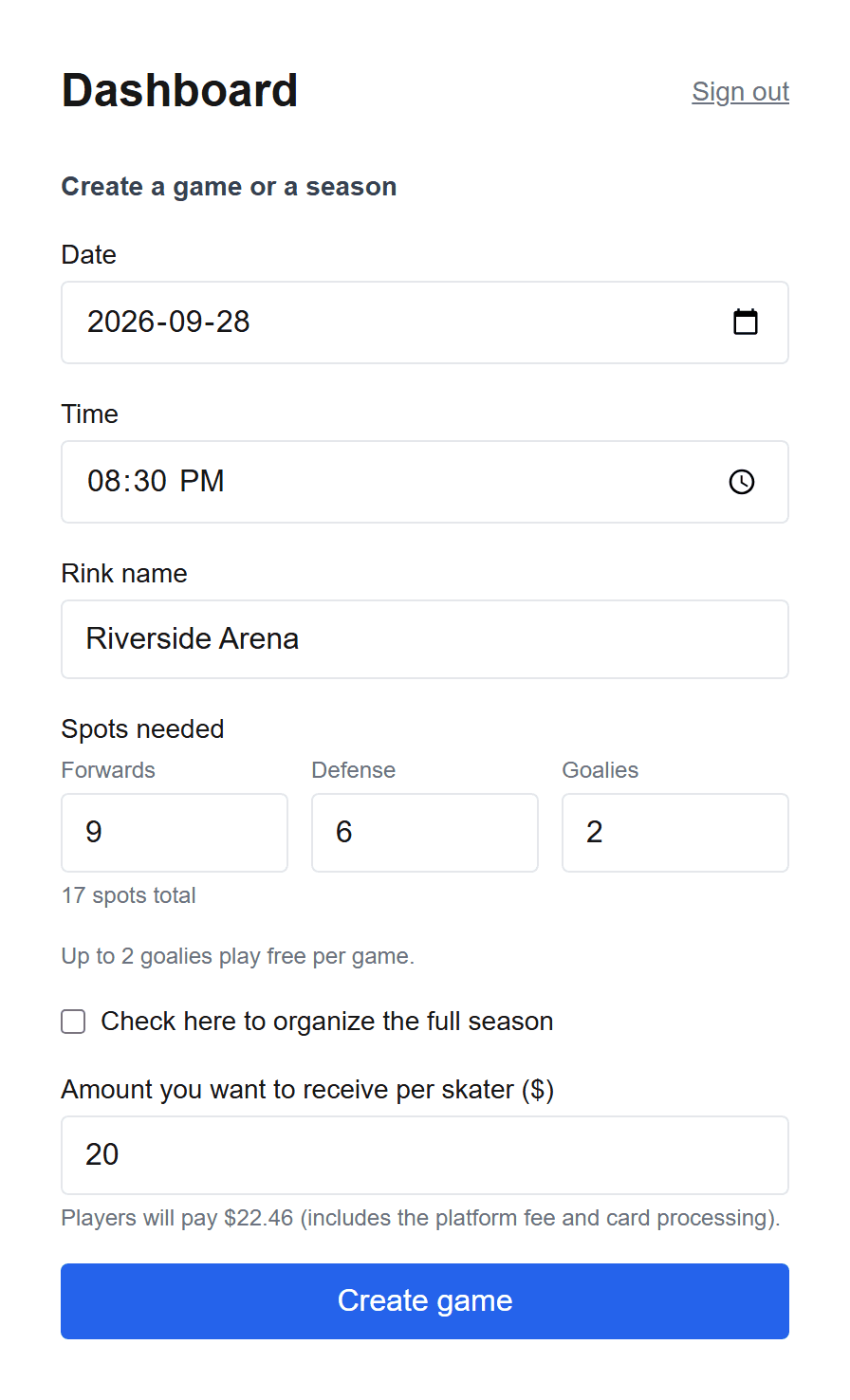
Set up a game — or a whole season
Pick the rink, the date, and what you want to receive per skater. Running the full season instead? Set it up the same way and price it once.
2
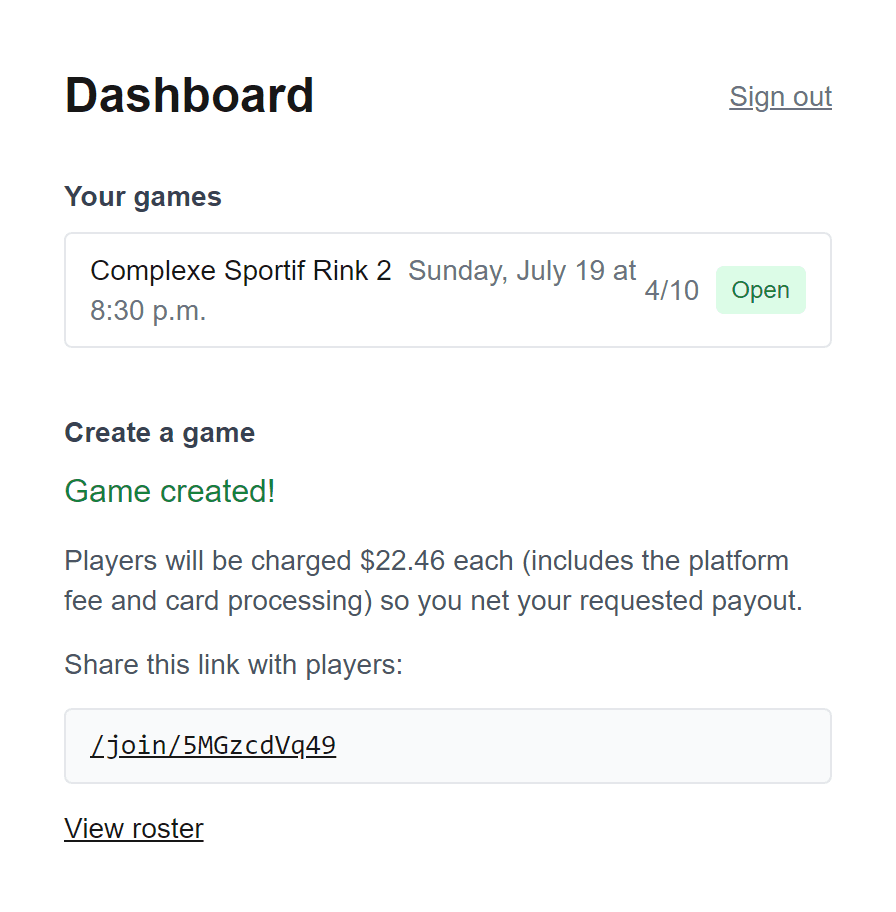
Share the link
Drop it in the group chat. Players grab a spot and pay in a couple of taps — no account to create.
3
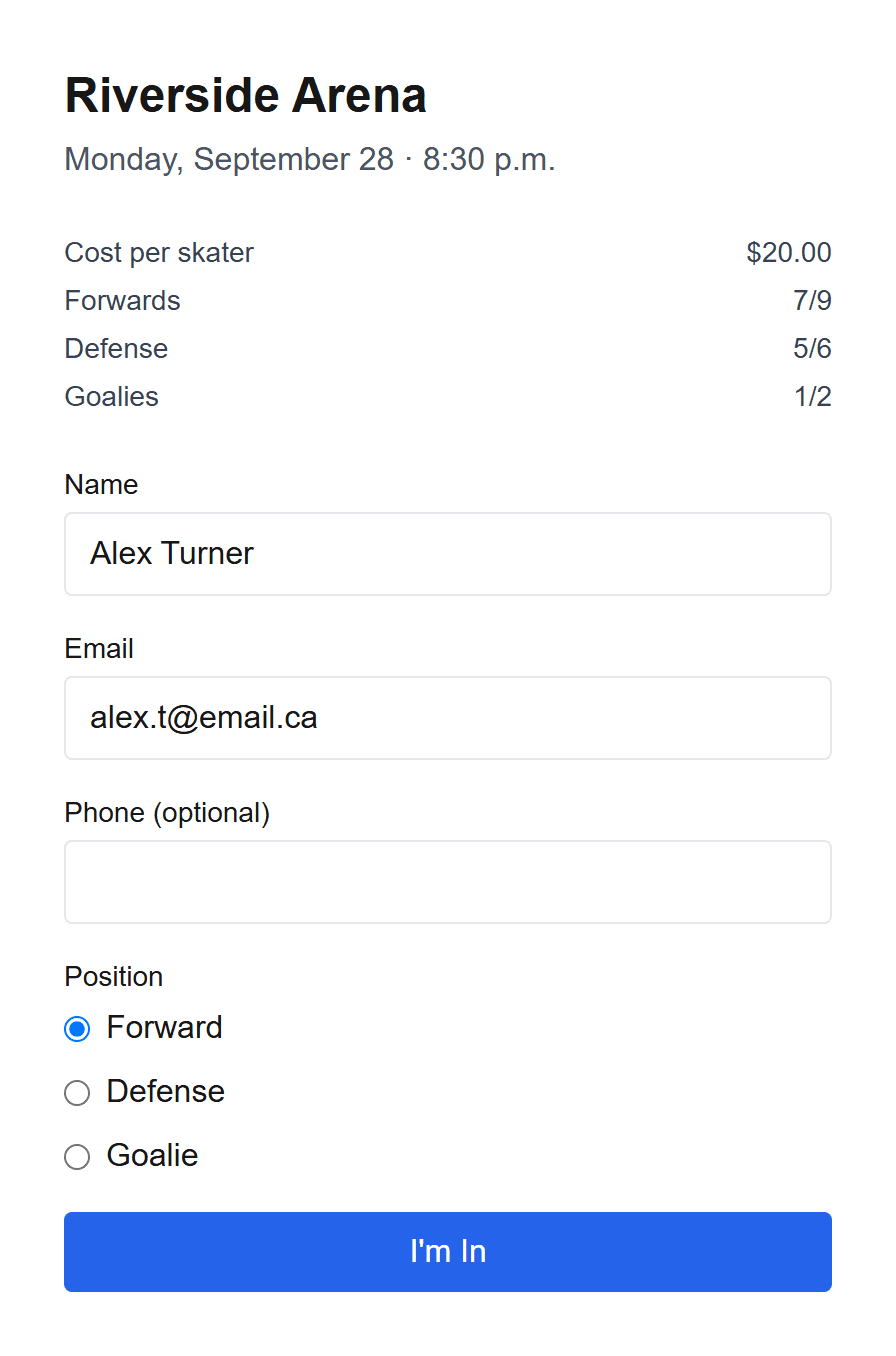
Players sign up — roster locks itself
Once you're full, signups shift to a waitlist automatically — no more chasing e-transfers. And you can manage your games (cancel, modify) from your dashboard.
Frequently asked questions
- How much does it cost?
- Setting up and sharing is free. When a player pays through the app, a small platform fee is added on top of the amount you set — $1.50 for a one-off game, or 5% of the total for a full season. Either way you receive exactly the amount you asked for, and the fee never comes out of your pocket. Goalies play free in one-off games; for a season you can give them their own price, or leave it at zero to keep them free.
- How and when do I get paid?
- You connect your own Stripe account once, and player payments are deposited straight into your bank on Stripe's automatic schedule — usually within a few business days. BenchCaptain never holds your money.
- What happens if someone cancels or the game is full?
- When you hit capacity, new signups roll onto a waitlist automatically. If someone drops out, the next person in line is emailed and has 30 minutes to grab the spot — and anyone who already paid is refunded automatically.
- Do my players need to download an app?
- No. Players just open the link you share — no app, no account, no download. They sign up and pay right in their browser in under a minute.